Introduction
Not long ago, getting extra academic help meant one of two things: paying for a tutor your family may not have been able to afford, or re-reading the same textbook page until it finally made sense. That’s changed. A phone, a tablet, or even an old laptop and a decent internet connection is now enough to open up thousands of lessons, practice questions, videos, and live classes — most of it free.
For students following the CBSE curriculum especially, these platforms have quietly become part of the daily routine — something to lean on for revision, for getting unstuck on homework, or for understanding a concept the class moved past too quickly. Parents like them too, since they’re a dependable way to support their child’s learning without hiring extra help, and teachers are using many of the same tools to make their own lessons more engaging.
The catch is that there are now so many of these platforms that choosing one can feel like an assignment in itself. Some are built around conceptual understanding, others are almost entirely practice tests, and a few specialize in coding, language learning, or just really good educational videos.
This article walks through the best free online learning platforms for school students, what each one is actually good for, how to pick the right combination for your needs, and a few practical habits that make online study time count.
Why Free Online Learning Platforms Matter
Online learning isn’t really a backup plan anymore — for a lot of students, it’s just part of how they study. Whether you’re trying to lock down something from class, revise before an exam, or wander into a topic your textbook barely covers, these platforms give you room to do it on your own terms.
A few things make them genuinely worth using:
- Study on your own schedule, not just during school hours
- Get solid educational content without spending anything
- Move at whatever pace actually works for you
- Build real understanding instead of just memorizing
- Test yourself with quizzes and mock exams
- Rewatch a lesson as many times as it takes
- Explore topics that go beyond the syllabus, if you’re curious
- Walk into exams a little more confident
None of this replaces the classroom — it works best alongside it, as one part of a more balanced study routine.
For more on building that kind of routine, our Study Tips section has a lot more on this. A couple of guides worth a look:
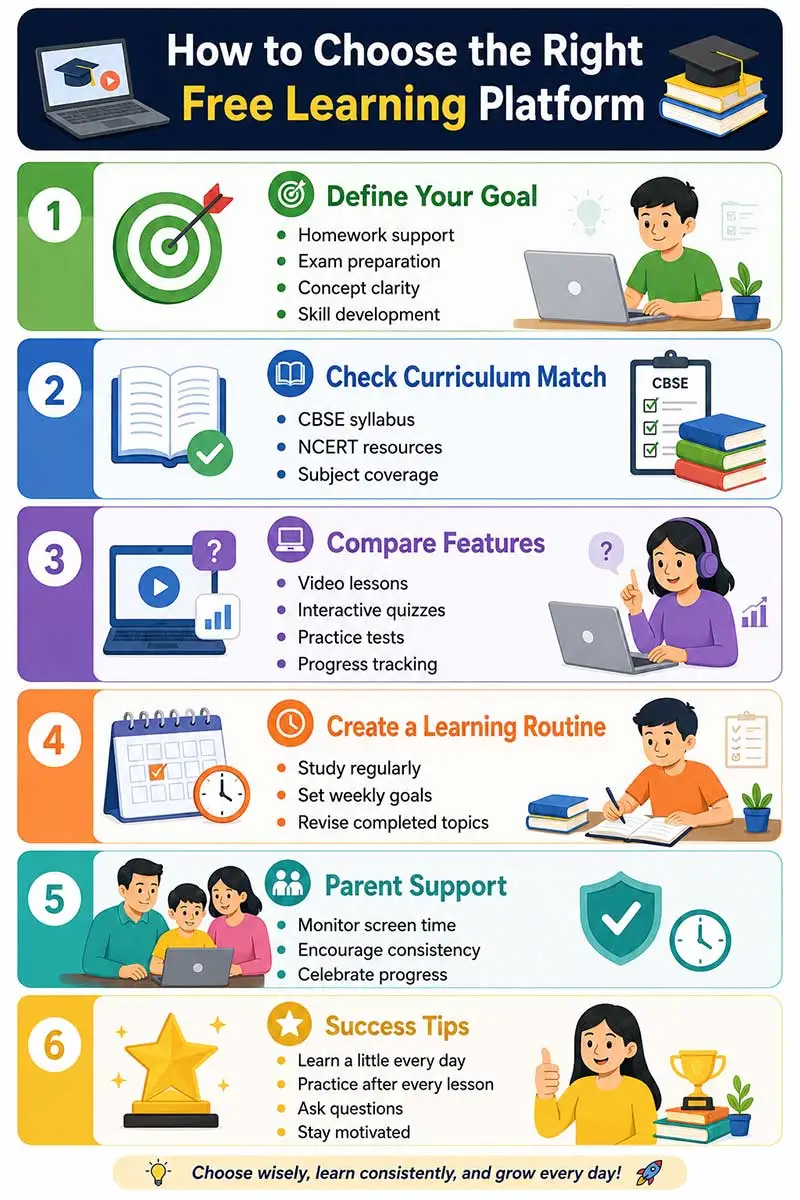
How to Choose the Right Online Learning Platform
Not every platform suits every learner, so it’s worth thinking through a few things before settling on one.
1. Curriculum Alignment
Stick to platforms that follow the CBSE syllabus, or whatever curriculum your school uses. Content built around a different syllabus tends to confuse more than it helps.
2. Learning Style
Students don’t all learn the same way, and that’s fine. Some retain more from a video, others would rather read notes or work through a worksheet. Figure out what actually works for you — video lessons, interactive quizzes, live classes, written notes, practice sheets, or games and animations — and look for platforms built around that.
3. Age Appropriateness
What works for a Class 3 student and what works for a Class 10 student are two different things. Younger learners need colourful, activity-based content that holds their attention, while older students get more out of detailed explanations, practice papers, and exam-focused material.
4. Ease of Use
If the menus are more confusing than the subject itself, that’s a problem. A simple, well-designed interface lets students focus on actually learning instead of figuring out where to click.
5. Safety and Privacy
It’s worth a few minutes for parents to vet a platform before handing it to a child — check that it’s reputable, doesn’t bury kids in ads, and has a reasonable privacy policy.
Comparison Table: What Makes a Good Learning Platform?
| Feature | Why It Matters | Best For |
| Video Lessons | Visual understanding | All students |
| Practice Quizzes | Self-assessment | Exam preparation |
| Interactive Activities | Better engagement | Primary students |
| Progress Tracking | Monitor improvement | Parents & teachers |
| Mobile App | Learn on the go | Busy learners |
| Offline Downloads | Study without internet | Rural & remote learners |
| Multiple Subjects | One-stop learning | Families with multiple children |
Best Free Online Learning Platforms for School Students
With that out of the way, here’s a closer look at ten platforms that are widely used, reliable, and genuinely worth your time.
1. DIKSHA
Run by India’s Ministry of Education, DIKSHA is one of the country’s largest digital learning platforms, built around the CBSE and state board curricula.
Key features
- Free access
- CBSE and state board content
- QR-code enabled textbooks you can scan straight from the page
- Interactive quizzes and practice exercises
- Resources for teachers as well as students
- Available in multiple Indian languages
Best for
- CBSE students
- Government school students
- Teachers looking for ready-made material
- Parents supporting home learning
2. ePathshala
ePathshala comes straight from NCERT, which makes it about as close to an official digital version of your textbooks as you’ll find.
Students can access
- NCERT textbooks
- Audiobooks
- Videos
- Educational journals
- Supplementary reading material
Why it’s worth using
- Official NCERT content
- Completely free
- Textbooks kept up to date
- Great for revision
- Useful for competitive exams built on the NCERT syllabus
3. SWAYAM
SWAYAM is a government initiative offering free courses that span everything from school-level subjects to full university degrees.
School students can explore
- Mathematics
- Science
- English
- Social Science
- Skill development courses
It’s also a good option once you’ve covered the syllabus and want to push a bit further.
4. Khan Academy
Khan Academy barely needs an introduction — it’s one of the most respected free education platforms anywhere in the world.
It covers
- Mathematics
- Science
- Computing
- Economics
- Grammar
- Test preparation
Why students keep coming back to it
- Explanations that break things down step by step
- A learning path that adapts to you
- Progress tracking
- Exercises you actually interact with, not just watch
- Short videos that don’t test your attention span
If Maths has ever felt like a wall, watching a concept video before attempting the textbook problems can make a real difference.
5. CBSE Guide
If exams are the immediate concern, CBSE Guide is built around exactly that — resources designed specifically for the Indian school system.
You’ll find
- Study tips
- Exam preparation strategies
- Subject resources
- Student wellness articles
- Career guidance
- General learning resources
A few articles worth reading
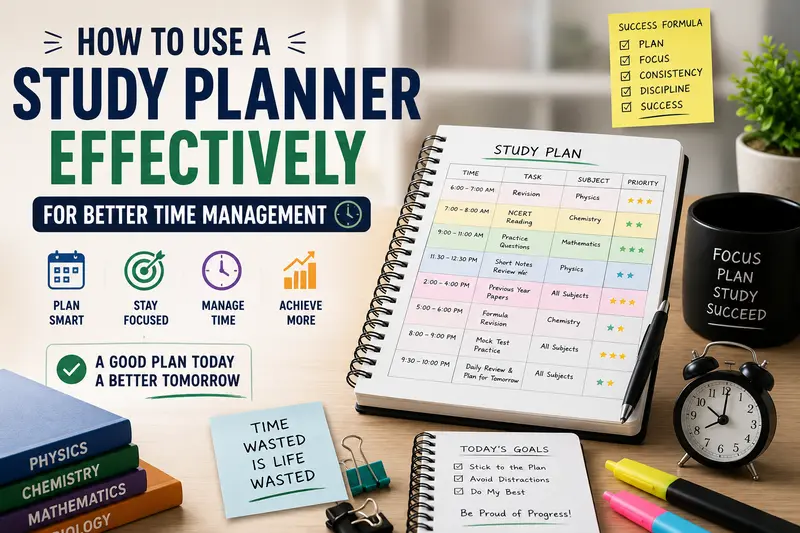
- Daily Study Routine for Students
- 10 Smart Revision Techniques for CBSE Board Exams
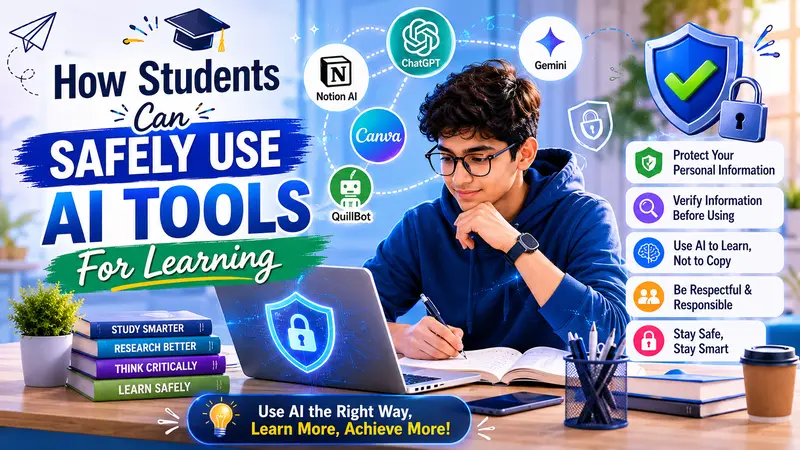
- How Students Can Safely Use AI Tools for Learning
Reading a few of these alongside regular studying tends to pay off — better habits, sharper revision, and more confidence walking into an exam.
Making the Most of Free Learning Platforms
Signing up for a platform doesn’t automatically make anyone a better student — what actually matters is how consistently it gets used. A couple of habits help.
Set Clear Learning Goals
Rather than clicking around aimlessly, decide ahead of time what you’re trying to get done — finish one Maths chapter, watch two Science videos, get through one practice quiz, revise a History lesson. A specific target keeps a study session from turning into an hour of scrolling.
Create a Weekly Learning Schedule
Block out fixed time slots for this during the week, rather than saving it all for the days right before an exam.
| Day | Activity | Time |
| Monday | Mathematics videos | 45 minutes |
| Tuesday | Science practice | 45 minutes |
| Wednesday | English reading | 30 minutes |
| Thursday | Social Science revision | 45 minutes |
| Friday | Online quizzes | 45 minutes |
| Saturday | Weak topic revision | 60 minutes |
| Sunday | Weekly review | 30 minutes |
A routine like this builds discipline over time and takes a lot of the last-minute exam stress out of the picture.
6. National Digital Library of India (NDLI)
The National Digital Library of India is exactly what it sounds like — a vast, government-run digital library holding millions of resources: books, articles, videos, lecture notes, old question papers, and research material.
Key features
- Free access to educational resources
- Content for school students, college students, and teachers
- Subject-wise search
- Multiple languages
- Previous question papers and reference material
- Mobile-friendly platform
Best for
- Class 6–12 students
- Teachers preparing lesson plans
- Students working on projects and assignments
7. YouTube Educational Channels
Whatever you make of YouTube generally, it’s quietly become one of the biggest free classrooms around. Plenty of credible educators and organizations post genuinely solid lessons covering school subjects.
You’ll find
- Science experiments
- Worked Mathematics problems
- English grammar lessons
- Social Science explanations
- Coding tutorials
- Exam preparation tips
A few ground rules worth following
- Stick to channels you actually trust
- Don’t let one video turn into an hour of unrelated ones
- Build a dedicated study playlist so you’re not searching from scratch each time
- Keep recreational viewing separate from study time
8. Google Arts & Culture
Not every lesson has to come from a textbook. Google Arts & Culture lets students wander through museums, walk through historical sites, and look closely at famous artworks from anywhere in the world, without leaving the room.
Best for
- History
- Geography
- Art Education
- Project work
- General knowledge
The virtual tours make otherwise abstract topics feel a lot more real, and tend to stick with students longer than a paragraph in a textbook.
9. Scratch
Scratch is where a lot of kids write their first lines of code, except it barely feels like coding — it’s visual, drag-and-drop, and genuinely playful.
Students end up building
- Games
- Animations
- Interactive stories
- Simple applications
What it’s actually teaching underneath the fun
- Logical thinking
- Creativity
- Problem-solving skills
- Computational thinking, with no programming background required to start
It works particularly well for students roughly between Classes 4 and 8 who want a fun, low-pressure way into coding.
10. TED-Ed
TED-Ed takes ideas from genuine experts and turns them into short animated videos that don’t feel anything like a lecture.
Topics include
- Science
- Mathematics
- Literature
- History
- Psychology
- Environment
- Technology
Each video comes with its own quiz and discussion questions, which pushes you to actually think about the idea rather than just watch and move on.
Benefits of Using Multiple Learning Platforms
No single platform does everything well, and most students end up mixing a few. A combination that works for a lot of CBSE students looks something like this:
- DIKSHA for CBSE-aligned lessons
- ePathshala for the official NCERT textbooks
- Khan Academy when a concept needs more clarity
- Scratch for coding skills
- CBSE Guide for study techniques and exam strategy
This kind of balanced mix supports academic results without crowding out curiosity and the broader habit of lifelong learning.
Challenges of Online Learning and How to Overcome Them
| Challenge | Practical Solution |
| Too many distractions | Turn off notifications while studying |
| Inconsistent study habits | Set up a daily learning schedule |
| Poor internet connection | Download lessons for offline viewing where available |
| Information overload | Stick to one platform per subject instead of switching constantly |
| Lack of motivation | Set small weekly goals and reward yourself for hitting them |
| Excessive screen time | Take a 5–10 minute break after every 45–60 minutes of study |
Tips for Parents and Teachers
Parents and teachers both play a real part in how much children get out of online learning.
For Parents
- Set up a quiet space for studying
- Encourage a routine, not just last-minute cramming
- Keep an eye on screen time without hovering over every minute of it
- Praise effort and progress, not just the marks at the end
- Ask what they learned that day — it keeps you in the loop and reinforces it for them
We’ve written more on this here: How Parents Can Help Children Study Without Pressure
For Teachers
- Point students toward resources you actually trust
- Set practice activities through these platforms, not just textbook homework
- Encourage students to learn together rather than only solo
- Use a strong video when a concept is hard to explain live
- Talk to students about using these tools responsibly
Chart: Preferred Use of Free Online Learning Platforms
Type: Bar Chart
| Platform Purpose | Illustrative Percentage (%) |
| Concept Learning | 35 |
| Exam Preparation | 25 |
| Homework Support | 15 |
| Skill Development | 12 |
| Coding & Creativity | 8 |
| General Knowledge | 5 |
These values are illustrative and meant to show common usage patterns among school students, not measured data.
Printable PDF Resources
Download Printable PDF 1: Weekly Online Learning Planner
Purpose: Helps students organize daily online learning sessions while balancing schoolwork, revision, and extracurricular activities.
Sections included
- Weekly goals
- Subject-wise learning plan
- Platform used
- Daily study duration
- Topics completed
- Practice quiz score
- Doubts to clarify
- Parent/teacher remarks
Download Printable PDF 2: Digital Learning Progress Tracker
Purpose: Helps students keep tabs on their learning consistency and spot areas that need more work.
Sections included
- Daily login tracker
- Topics completed
- Revision completed
- Practice questions attempted
- Time spent learning
- Self-rating
- Key learnings
- Improvement plan
Key Takeaways
- Free online learning platforms put quality education within reach of pretty much every student
- Choose platforms that line up with the CBSE or your school’s curriculum
- Mix textbooks, videos, quizzes, and practice exercises for a deeper understanding
- Build a consistent study schedule rather than cramming only before exams
- Parents and teachers should help guide responsible use of these tools
- Balance screen-based learning with reading, writing, outdoor time, and proper rest
- Aim to master concepts, not just finish videos or quizzes
- Curiosity and continuous learning matter more in the long run than memorization
Frequently Asked Questions (FAQs)
1. Which is the best free online learning platform for CBSE students?
There isn’t one single answer — DIKSHA, ePathshala, Khan Academy, and CBSE Guide are all strong choices, but each does something a little different, from textbook support to building concepts to exam prep.
2. Can free learning platforms replace school education?
No. They’re meant to support classroom learning, not stand in for it — think of them as extra explanation, practice, and revision rather than a substitute.
3. Are these platforms suitable for primary school students?
Yes, quite a few of them. Many are built with age-appropriate, interactive content and engaging videos that work well for younger learners specifically.
4. How much time should students spend on online learning each day?
Somewhere around 30–60 minutes of focused use, on top of regular school study, is generally enough for most students.
5. Is online learning effective for board exam preparation?
Yes, especially when it’s paired with textbook study, regular revision, and mock tests — used that way, it can genuinely sharpen both understanding and exam readiness.
6. How can parents ensure safe online learning?
Stick to trusted educational websites, keep half an eye on screen time, talk to your child about what they’re doing online, and encourage a reasonably balanced relationship with technology rather than an all-or-nothing one.
7. Can students learn coding through free platforms?
Yes — Scratch in particular is a great starting point, since it introduces programming through interactive projects rather than dense syntax, which makes it approachable for beginners.
Conclusion
Free online learning platforms have changed what’s possible for students, regardless of where they live or what their family can afford. Whether the goal is strengthening classroom concepts, prepping for exams, picking up a new skill, or just following curiosity past the syllabus, there’s a genuinely useful platform out there for it.
The real trick isn’t piling on more resources — it’s using the right few, consistently. Pick platforms you trust, build a routine around them, and pair digital learning with regular revision and practice, and the results tend to follow: more confidence, better grades, and study habits that outlast any one exam.
Parents and teachers can make a real difference here too, simply by offering guidance, encouragement, and a learning environment that supports the effort. Technology can only do so much on its own — paired with good habits, it can help every student get a lot closer to their potential.

Learning Support Team shares guidance on safe online learning, educational technology, and effective digital study practices.